
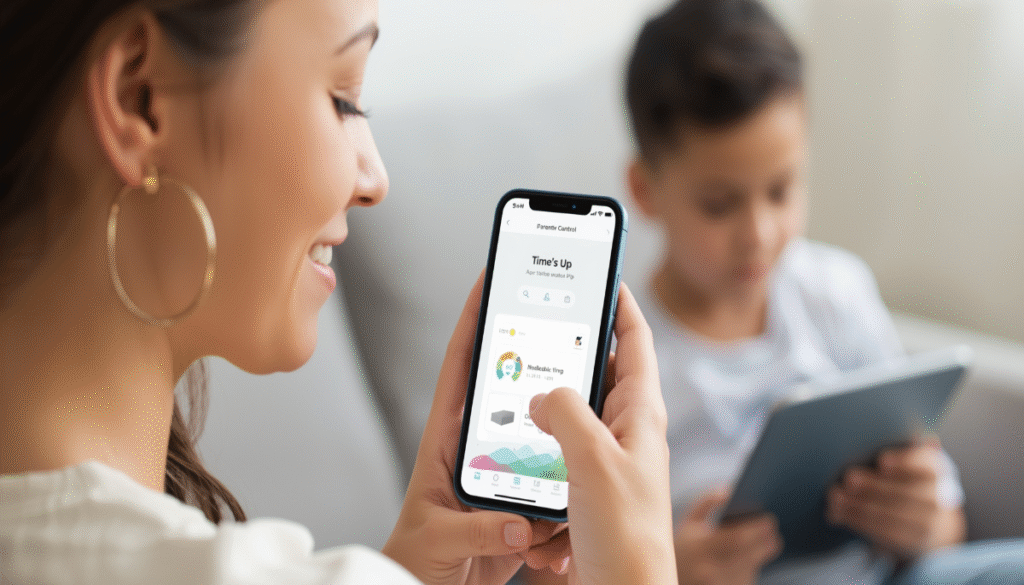
3 of the Best Screen Time Trackers for Kids
The best screen time tracking apps, such as OurPact, Qustodio, and Google Family Link, help parents set healthy boundaries by monitoring usage, blocking apps, and creating scheduled device-free times. These tools enable us to guide our children toward responsible technology habits without completely restricting their access to educational and entertaining content.
Finding the right balance between screen time and active play requires understanding which features matter most for our family’s needs. We’ll explore the essential qualities that make screen time trackers effective, from easy setup to bypass-resistant controls that actually work when kids try to circumvent the rules.
The key is choosing apps that grow with our children and teach them self-regulation skills rather than simply imposing rigid restrictions. By examining the top options available and learning how to integrate these tools into a comprehensive approach to digital wellness, we can cultivate healthier tech habits that support our children’s overall development.
What to Look for in Screen Time Trackers
Effective screen time trackers combine robust parental controls with user-friendly interfaces and comprehensive monitoring capabilities. The best tools offer granular customization options while remaining simple enough for busy families to implement consistently.
Parental Controls and Customization
Strong parental controls form the foundation of any effective screen time tracker. We need apps that let us set specific time limits for different types of content and applications.
Look for trackers that allow app-specific restrictions. This means setting 30 minutes for games while enabling unlimited access to educational apps. The best screen time management tools offer this level of granular control.
Scheduling features are equally important. We want to block internet access during homework time or family dinner without having to monitor every device manually.
Age-appropriate filtering ensures content matches our children’s developmental stage. Quality trackers include preset profiles for different age groups, while also allowing for custom adjustments.
Remote management capabilities let us modify settings from anywhere. Whether we’re at work or traveling, we can adjust limits and respond to access requests instantly.
Real-Time Monitoring Features
Real-time monitoring gives us immediate insight into our children’s digital activities. The most valuable feature is live activity tracking that shows current app usage and remaining time limits.
Instant notifications alert us when children reach time limits or attempt to access blocked content. This prevents arguments and helps enforce boundaries consistently.
Usage reports provide detailed breakdowns of daily and weekly screen time patterns. We can identify problematic trends and adjust limits accordingly.
Location tracking adds an extra layer of safety. Knowing where our children use their devices helps us understand their digital habits in different environments.
Some comprehensive parental control apps offer social media monitoring and text message oversight, providing complete digital supervision.
Ease of Use for Families
Simple setup and intuitive interfaces make the difference between successful implementation and abandoned apps. We need trackers that both parents and children can understand quickly.
One-time setup across multiple devices saves time and reduces frustration. The best apps automatically sync settings between smartphones, tablets, and computers.
Clear visual indicators show remaining screen time through colorful charts or countdown timers. Children respond better when they can see their limits approaching.
Family-friendly dashboards display everyone’s usage in one place. Parents can monitor multiple children without needing to switch between different screens or accounts.
Screen time tracker tools designed for families prioritize simplicity while maintaining powerful functionality behind the scenes.
Top Screen Time Trackers for Kids
When selecting a screen time tracker, we must consider whether we require comprehensive monitoring, device-specific controls, or solutions that function across multiple platforms. The best screen time apps for 2025 offer different strengths depending on our family’s specific needs.
Best All-Around Tracker Apps
OurPact stands out as our top pick for families wanting complete control. This parental control and tracking app handles screen time limits, app blocking, location tracking, and text monitoring all in one place.
Bark excels at monitoring content across multiple platforms. It tracks social media, emails, and text messages while providing screen time controls.
Norton Family offers real-time security monitoring alongside screen time management. We can set time limits, block inappropriate content, and receive instant alerts about our kids’ online activities.
Key Features to Look For:
- App blocking and time limits
- Location tracking
- Content filtering
- Real-time alerts
- Usage reports
These comprehensive solutions typically cost $5-$ 15 per month but provide the most detailed monitoring and control options.
Device-Specific Solutions
iOS Screen Time comes built into iPhones and iPads at no extra cost. We can set daily time limits, create downtime schedules, and restrict specific apps directly through the Settings app.
Google Family Link provides free Android monitoring and control. Parents can approve app downloads, set bedtime device locks, and view detailed activity reports.
Amazon Fire Tablets include robust parental controls through Amazon Kids+. We can set educational goals, time limits, and age-appropriate content filters to suit your needs.
Nintendo Switch Parental Controls let us monitor gaming time and set daily play limits through a dedicated smartphone app.
Device-specific options work seamlessly with their respective platforms but limit us to single-device monitoring. They’re perfect for families using primarily one type of device.
Cross-Platform Options
Qustodio works across iOS, Android, Windows, Mac, and Kindle devices. We can monitor all our kids’ devices from a single dashboard and set consistent rules across all platforms.
Circle Home Plus provides network-level filtering and monitoring. It tracks every device connected to our home WiFi, including gaming consoles and smart TVs.
FamilyKeeper provides straightforward cross-platform monitoring with an intuitive interface. It tracks screen time across multiple devices while keeping setup straightforward for less tech-savvy parents.
Mobicip offers screen time management for both Android and iOS devices, featuring content filtering and time controls.
Cross-platform solutions cost $10-$ 20 per month but eliminate the hassle of managing separate apps for different devices. They’re ideal for families with mixed device ecosystems.
Balancing Screen Time with Play and Learning
Creating meaningful boundaries between digital activities and physical play requires planning and consistent implementation. We can foster healthier development by prioritizing hands-on experiences while establishing clear expectations around technology use.
Encouraging Offline Activities
We need to create appealing alternatives to screen-based entertainment actively. Open-ended, active play, such as climbing, balancing, and engaging in outdoor sensory experiences, fosters stronger, more creative children than passive digital consumption.
Physical Activities That Compete with Screens:
- Building forts with blankets and pillows
- Nature scavenger hunts in backyards or parks
- Art projects using recyclable materials
- Cooking simple recipes together
Engaging in outdoor play, sports, and creative arts enhances motor skills and social interaction while naturally reducing digital dependency. We should schedule these activities during typical screen time hours.
The key is making offline activities feel like privileges rather than punishments. When we present physical play as exciting opportunities, children develop genuine enthusiasm for non-digital experiences.
Setting Healthy Digital Habits
We must establish clear boundaries that children understand and accept. Watching or playing together allows us to monitor content while creating opportunities for discussion about what children see online.
Essential Digital Boundaries:
- Time limits: Specific start and end times for screen use
- Content rules: Age-appropriate programs and games only
- Device-free zones: Bedrooms and dining areas remain screen-free
- Co-viewing requirements: Adult supervision for younger children
We should model the digital behavior we want to see. When we put our own devices away during family time, children learn that screens have appropriate times and places.
Creating healthy digital environments that promote learning and responsible screen use requires consistency from all caregivers. Everyone in the household should follow the same rules and expectations.