The Best Ways to Protect Your Eyes From Screen Time
Eyes feeling tired, dry, or sore after using a computer or tablet is a frequent problem, and it can even lead to headaches. If so, you may be experiencing a condition known as digital eye strain. It’s a fancy name for a simple problem: your eyes get tired from looking at screens for too long.
Screens on phones, tablets, and computers give off a special kind of light called blue light. While blue light isn’t all bad (the sun emits a lot of it!), getting too much of it from screens, especially right before bed, can make it difficult for your eyes to relax and can even make it harder to fall asleep.
The good news is that there are some super easy and cool ways to give your eyes a break! We’ve tested the best methods to help your eyes feel better.
The Main Idea:
Using things like special glasses or screen filters can help block some blue light and make your eyes more comfortable. However, the very best thing you can do is combine these tools with healthy screen habits, such as taking breaks.
Why Do Screens Make Our Eyes Tired?
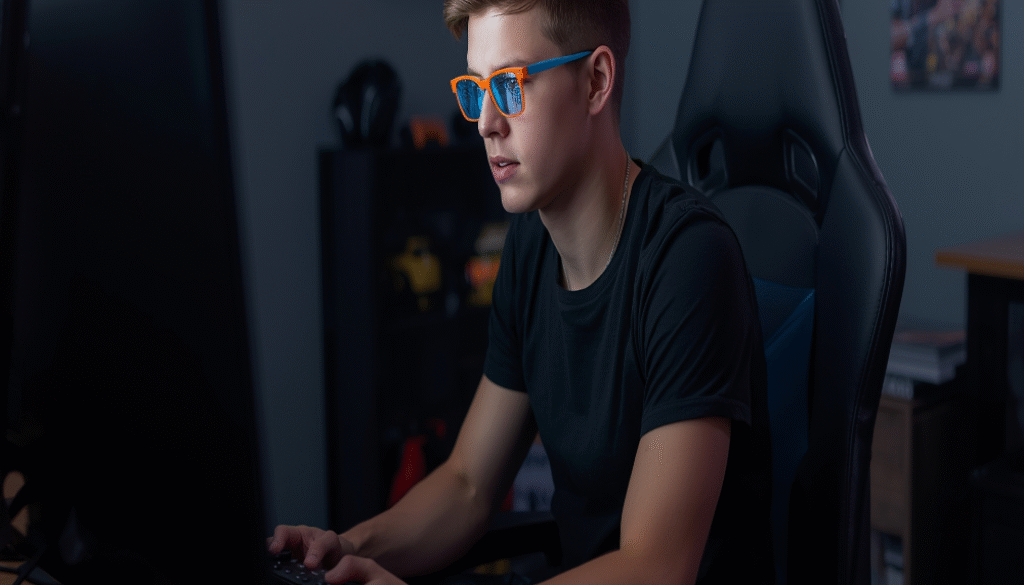
Think about how your legs feel after running around for a long time. Your eye muscles can get tired, too! When you stare at a screen, you tend to blink less frequently than you usually would. This can make your eyes feel dry and itchy. The bright light and tiny words on a screen also make your eye muscles work extra hard to focus.
What Does Digital Eye Strain Feel Like?
- Your eyes feel tired, heavy, or sore.
- They feel dry, itchy, or look red.
- Words on the screen might get blurry.
- You might get a headache.
- Your neck or shoulders might feel stiff.
Super Solutions to Block Blue Light and Help Your Eyes
You don’t have to give up screens forever! Here are some of the best tools and tricks to protect your vision.
1. Blue Light Blocking Glasses
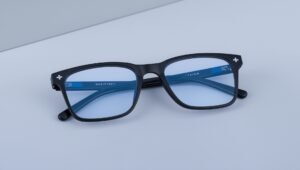
These are glasses with special lenses designed to filter out some of the blue light emitted by screens. They can resemble regular glasses, featuring clear or slightly yellow-tinted lenses.
- Remarkable Fact: You can find fun, durable pairs online that won’t break the bank! Some even come in your favorite colors and styles.
- Best for: Children who spend a significant amount of time on computers for school or gaming.
2. Screen Filters and Protectors
This is like putting a pair of sunglasses directly on your screen! A clear filter attaches to your computer, tablet, or phone screen. It cuts the glare and reduces blue light without significantly altering the appearance of colors.
- Remarkable Fact: They also protect your screen from scratches and fingerprints. Two wins in one!
- Best For: Family tablets or shared computer screens.
3. Device Settings and Software (The Free Option!)
This might be the easiest solution, as it’s likely already on your device. You can change the settings on your tablet, phone, or computer to make the screen warmer and less blue.
- How to Find It:
- On an iPhone or iPad: Look for “Night Shift” in your Settings.
- On an Android phone or tablet, look for “Blue Light Filter” or “Night Light.”
- On a Windows Computer: Search for “Night Light” in the settings.
- On a Mac: Look for “Night Shift”.
- Remarkable Fact: You can set it to turn on automatically every night at sunset.
- Best For: Everyone! It’s free and easy to use.
Excellent Habits for Healthy Eyes
Tools are great, but your daily habits are the most crucial part of maintaining your eye health. Think of these as exercises for your eyes!
The 20-20-20 Rule: The Golden Rule of Screen Time
This is the #1 rule to remember. It’s simple:
Every 20 minutes, look at something 20 feet away for 20 seconds.
- How to do it: Set a timer. When it goes off, look out your window at a tree or a house across the street. Or look down your hallway. This gives your focusing muscles a quick vacation.
- Pro Tip: During this 20-second break, blink your eyes a bunch of times on purpose to get them wet again.
Blink More and Use Artificial Tears
Remember, you blink less when staring at a screen. Try to remember to blink! If your eyes are often dry and uncomfortable, consider asking your parents about artificial tears. These are special eye drops that are like a drink of water for your eyes. Make sure to get the kind that is “preservative-free” if you plan to use them frequently.
Set Up Your Screen Like a Pro
Where you put your screen makes a big difference.
- Distance: Your screen should be about an arm’s length away from your face.
- Height: The top of your screen should be at or just below your eye level. You should be looking slightly down at it.
- Glare: Avoid having a bright window or light directly behind you. The glare on the screen makes your eyes work harder. Sit so that the windows are to your left or right.
Get Your Wiggles Out
Don’t just sit in one position for hours. Make sure you get up, stretch, and move around at least once every hour. This is beneficial for your entire body, including your eyes.
What’s the Catch? Do These Things Really Work?
You might hear different opinions about blue light.
- Some scientists argue that the blue light emitted by our screens isn’t strong enough to harm our eyes physically. They say that eye strain is more often caused by how we use our screens (such as not blinking, not taking breaks, or sitting too close).
- Other scientists and many people say that even if the blue light isn’t damaging, blocking it helps them feel more comfortable. It reduces glare and allows their eyes to relax, leading to fewer headaches and better sleep.
The Bottom Line: While scientists debate, millions of people feel real relief from using these tools and tricks. The best approach is to use both! Use the free settings on your devices and, most importantly, practice the 20-20-20 rule and other healthy habits.
The Ultimate Eye Protection Plan
You are the best protector of your own eyes! Here’s your simple action plan:
- Talk to Your Parents: Share this article with them. Enable Night Light or Night Shift mode on all your devices simultaneously.
- Be a Break Champion: Use the 20-20-20 rule. It’s the most powerful tool you have.
- Check Your Setup: Ensure your screen is positioned at the correct distance and height. Adjust your chair as needed.
- Blink! Remind yourself to blink when you’re in the middle of an exciting game or movie.
- See an Expert: Go for a yearly eye exam with an eye doctor (an optometrist). They can ensure your vision is perfect and provide you with even more valuable advice for maintaining your eyes’ health.
Your eyes are amazing! By using these simple solutions, you can enjoy your technology while still taking great care of your vision.
For more related topics, click here